- 1-807-228-1532
- support@dnb3d.ca
Free shipping on orders over $175
New Products added Daily
Ready to Ship | Seasonal Gifts | Custom Orders
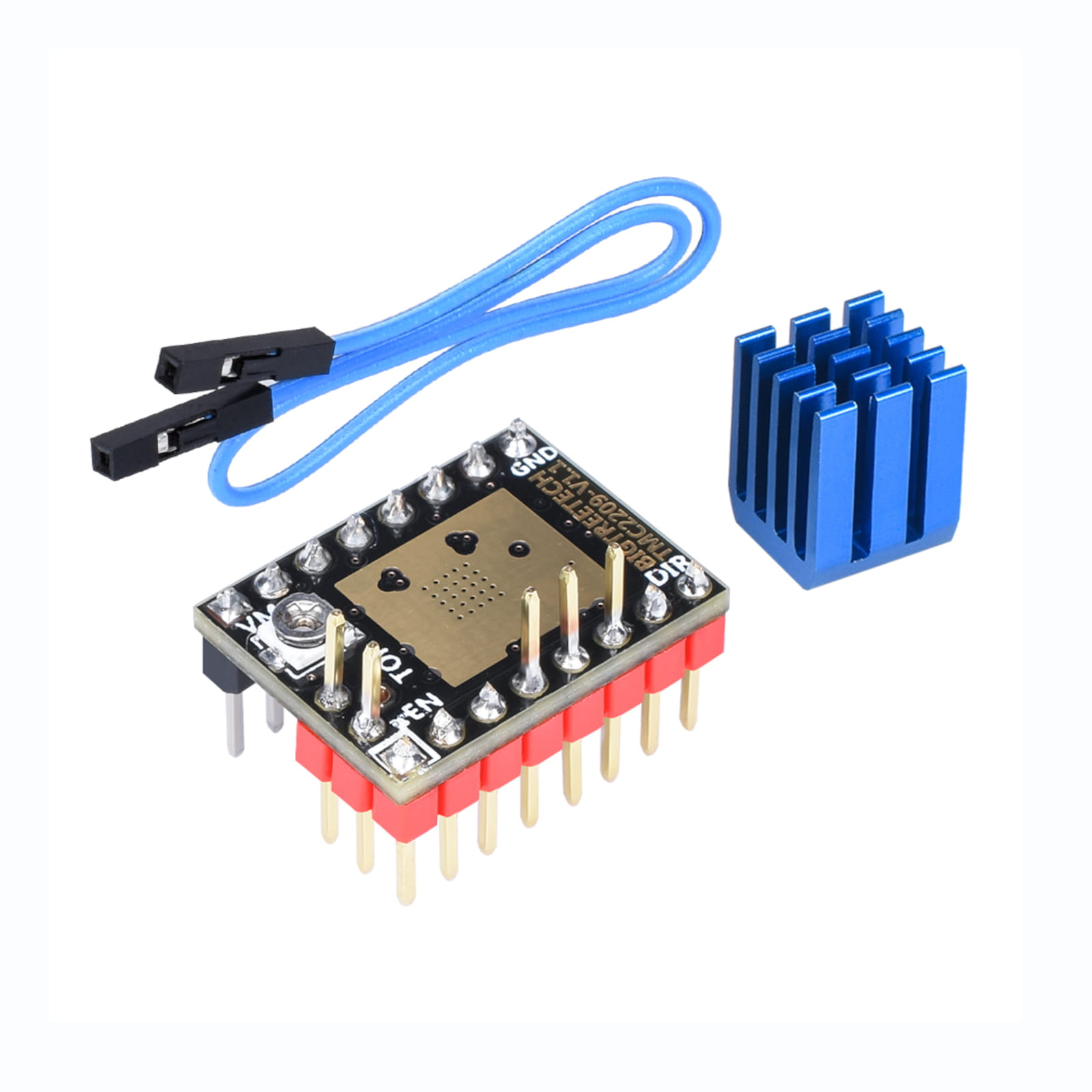
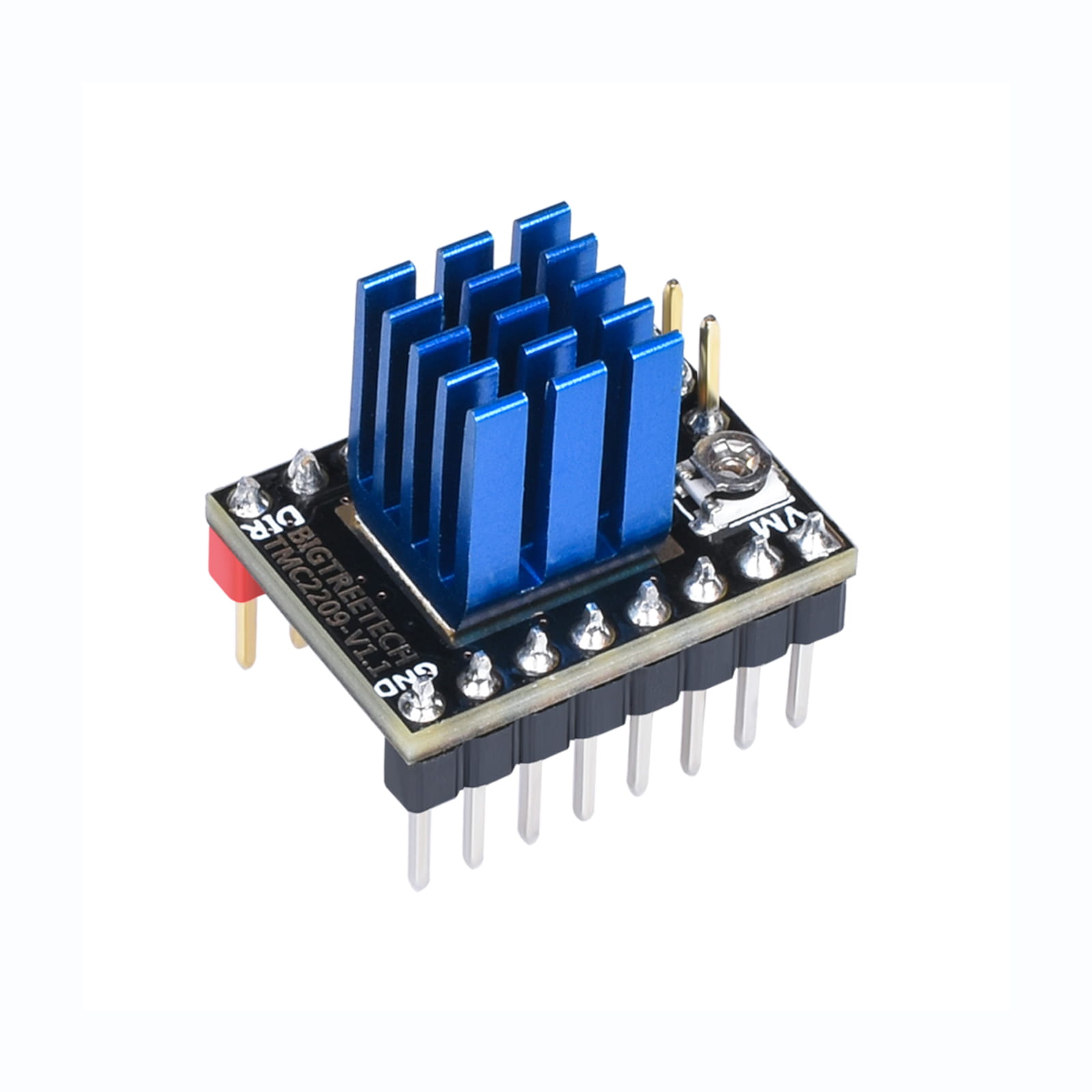
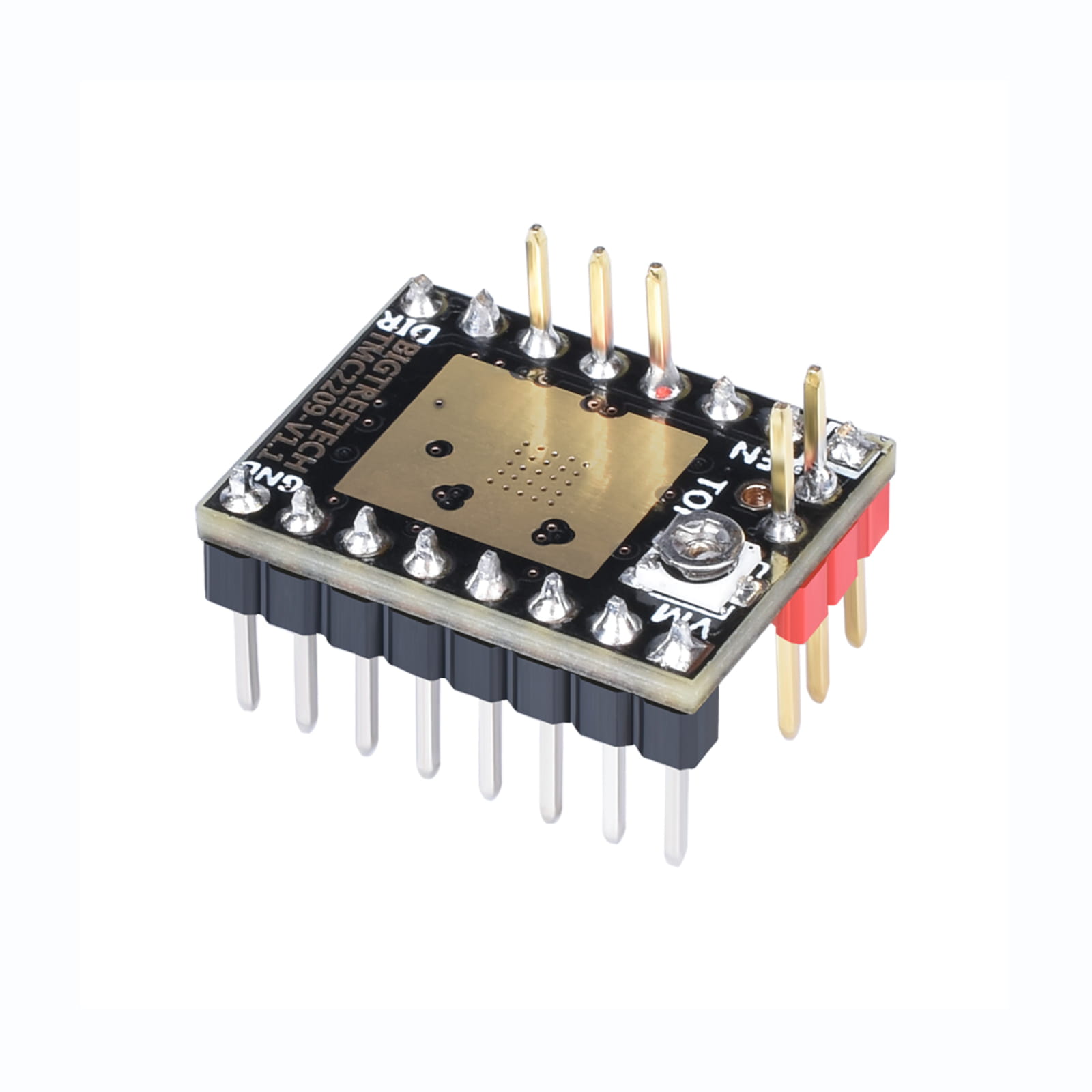
Reliable BTT TMC2209 Stepper Motor Driver V1.2 UART with heat sink for quiet, efficient 3D printer motor control on compatible control boards.
$9.95

The BTT TMC2209 Stepper Motor Driver is a compact stepper driver module from Big Tree Tech for compatible 3D printer control boards. It is designed for quiet, efficient control of 2-phase stepper motors and is commonly used in Klipper, Marlin, Voron, Rat Rig, CoreXY, and DIY 3D printer electronics builds.
Your current dnb3D product page lists this as a Big Tree Tech TMC2209 V1.2 UART driver with heat sink. It supports UART and DIR/STEP working modes, up to 256 microsteps, StealthChop silent mode, SpreadCycle high-speed mode, CoolStep, and StallGuard. The listed voltage range is 5.5V to 28V DC, with current listed at 2.0A RMS and 2.8A peak.
StealthChop mode is one of the main reasons builders choose TMC2209 stepper drivers. It helps reduce stepper motor noise, making it useful for desktop 3D printers, enclosed printers, workshop machines, and home printing setups where quieter motion is preferred.
The TMC2209 also supports SpreadCycle mode for high-speed motor control. This can be useful when print speed, acceleration, motor torque, and motion reliability matter. The best mode depends on firmware settings, motor type, current tuning, printer mechanics, and the motion profile being used.
This driver supports UART and DIR/STEP working modes. UART mode allows compatible control boards and firmware to communicate with the driver for configuration and tuning. DIR/STEP mode can be used in more traditional stepper driver setups depending on board compatibility and jumper configuration.
The product page lists StallGuard support. On compatible boards and firmware setups, StallGuard can be used for sensorless homing, allowing the printer to detect motor load changes instead of relying on a physical endstop switch. Sensorless homing requires careful tuning and may not be ideal for every axis or printer design.
CoolStep can help improve driver and motor efficiency by adjusting current behaviour based on load conditions. Proper current configuration helps reduce heat, improve reliability, and avoid skipped steps. Driver tuning should always match the motor, printer mechanics, cooling, and firmware configuration.
The BTT TMC2209 Stepper Motor Driver is a strong pairing option for compatible control boards such as the Octopus V1.1 Control Board and Manta M8P By BTT. These control boards are sold separately and require compatible stepper drivers to operate stepper motors.
This product is the stepper motor driver module. Control boards, motors, wiring, heat sinks beyond the included item, cooling fans, and other electronics are sold separately unless specifically listed as part of a bundle or kit. Always confirm how many drivers your printer build requires before ordering.
TMC2209 drivers are commonly used in performance 3D printer builds because they combine quiet operation, UART configuration, microstepping support, and advanced driver features. They are useful for Voron-style builds, Rat Rig-style builds, BLV Cube projects, CoreXY printers, Cartesian upgrades, and custom 3D printer control systems.
For firmware setup, wiring details, jumper configuration, and official board documentation, review the Big Tree Tech TMC2209 GitHub documentation before installation.
Every order is hand-inspected and precision-shipped from dnb3D in Marathon, Ontario. Whether you are upgrading a noisy printer, building a Klipper machine, wiring an Octopus V1.1, or configuring a Manta M8P, this BTT TMC2209 Stepper Motor Driver provides a reliable driver option for compatible 3D printer electronics.
The BTT TMC2209 Stepper Motor Driver is a V1.2 UART driver module with heat sink for quiet and efficient 2-phase stepper motor control in compatible 3D printer electronics builds.
| Product Type | Stepper motor driver / 3D printer stepper driver module |
|---|---|
| Brand / Manufacturer | Big Tree Tech / BTT |
| Driver Model | TMC2209 |
| Version | V1.2 UART |
| Included Cooling | Heat sink included |
| Motor Type | 2-phase stepper motors |
| Current Rating | 2.0A RMS / 2.8A peak |
| R-Sense | 0.11 ohm |
| Working Modes | UART, DIR/STEP |
| Microstepping | Up to 256 microsteps |
| Voltage Range | 5.5V – 28V DC |
| Silent Mode | StealthChop |
| High-Speed Mode | SpreadCycle |
| Efficiency Feature | CoolStep |
| Sensorless Homing Feature | StallGuard support on compatible boards and firmware setups |
| Compatible Control Boards | Compatible 3D printer control boards that support TMC2209 drivers, including BTT Octopus V1.1 and Manta M8P-style setups |
| Common Applications | 3D printer motion control, Klipper builds, Marlin builds, Voron, Rat Rig, BLV Cube, CoreXY printers, Cartesian printers, DIY electronics upgrades, and quiet printer motion setups |
| Related Products | Octopus V1.1 Control Board, Manta M8P By BTT, stepper motors, cooling fans, printer wiring, and 3D printer electronics |
| Sold Separately | Control board, stepper motors, wiring, cooling fans, and additional accessories are sold separately unless otherwise stated. |
| SKU | DB-0016-4849 |
| Installation Warning | Confirm driver orientation, board compatibility, jumper settings, UART configuration, motor current, cooling, firmware settings, and voltage before powering the printer. |
| Fulfillment | Hand-inspected and precision-shipped from dnb3D in Marathon, Ontario, Canada |
Before installing the BTT TMC2209 Stepper Motor Driver, confirm that your control board supports TMC2209 drivers. Check the board documentation for driver socket orientation, jumper settings, UART configuration, voltage limits, and firmware requirements.
Always disconnect printer power before installing or removing stepper drivers. Do not insert or remove drivers while the control board is powered. Hot-swapping stepper drivers can damage the driver, control board, or connected electronics.
Stepper drivers must be installed in the correct direction. Match the driver orientation to your control board documentation before powering the printer. Incorrect orientation can permanently damage the driver or motherboard.
Configure the control board jumpers for the intended driver mode, such as UART or DIR/STEP. Incorrect jumper settings can prevent communication, cause motion faults, or stop firmware from detecting the driver correctly.
Set motor current according to your motor, printer mechanics, cooling, and firmware configuration. Excessive current can overheat motors and drivers, while too little current can cause skipped steps or unreliable motion.
Install the included heat sink on the driver chip before use. Stepper drivers can become hot during operation, especially at higher current settings. Proper driver cooling helps improve reliability and reduces the chance of thermal shutdown.
Use proper airflow around the control board and stepper drivers. Electronics bay fans are strongly recommended for enclosed printers, high-current setups, and long print jobs. Keep wiring away from fans and driver heat sinks.
After installation and firmware setup, test each motor one axis at a time. Confirm correct direction, smooth motion, driver detection, current settings, homing behaviour, and temperature before starting a print.
If using StallGuard for sensorless homing, tune sensitivity carefully and test repeatedly at low speed before relying on it. Sensorless homing depends on motor current, mechanics, belt tension, friction, acceleration, and firmware settings.
Keep the driver module away from loose screws, metal chips, conductive dust, filament debris, moisture, and static discharge. A small short circuit can damage the driver or control board.
Every order is hand-inspected before shipping. dnb3D precision-ships stepper drivers, control boards, electronics, cooling parts, and 3D printer hardware across Canada from our Ontario facility, helping Voron, Rat Rig, CoreXY, and DIY printer builders receive clean, usable parts ready for careful installation.
At dnb3D, we don’t just ship boxes—we manufacture solutions. Operating our Industry 4.0 micro-factory in Marathon, Ontario, means your order is handled by the same people who design and test these components.
Ready to Ship (3D Printer Parts & Hardware): Finished, inspected, and on the shelf. Dispatched within 1 to 2 business days.
In-House Manufacturing (Laser, Plasma, 3D Prints): These items are manufactured “fresh” to order. Please allow 3 to 5 business days for precision cutting and finishing.
Custom Projects: Bespoke designs require a consultation and a locked-in timeline before production begins.
We ship nationwide across Canada and the USA. Centrally located on the North Shore of Lake Superior, we are uniquely positioned to get your products moving quickly to either coast.
We stand behind every weld, cut, and print. If a product doesn’t meet your expectations, contact the Hub within 30 days. If we wouldn’t put it in our own shop, we won’t let it sit in yours.
Standard Items: Contact us within 30 days for return authorization. Items must be in original, unused condition.
Custom/Personalized Orders: Digitally fabricated to your exact specs (names, custom dimensions, or unique finishes) are final sale once production begins.
Shipping Costs: Return shipping is the responsibility of the customer unless the item arrived damaged or defective.
Have questions about a specific build? Click here to contact the shop.